Home / Products / IBM/TOSHIBA POS Terminal Parts
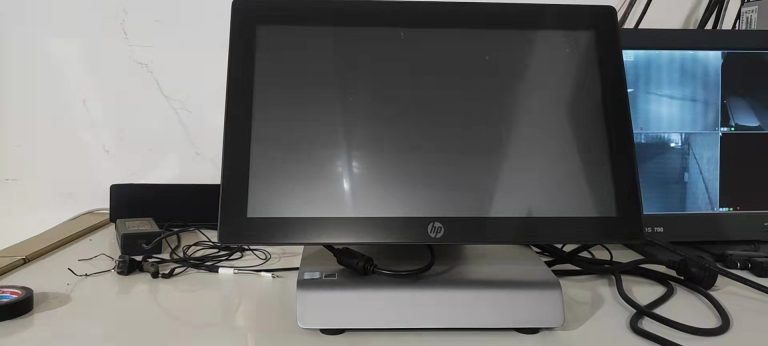
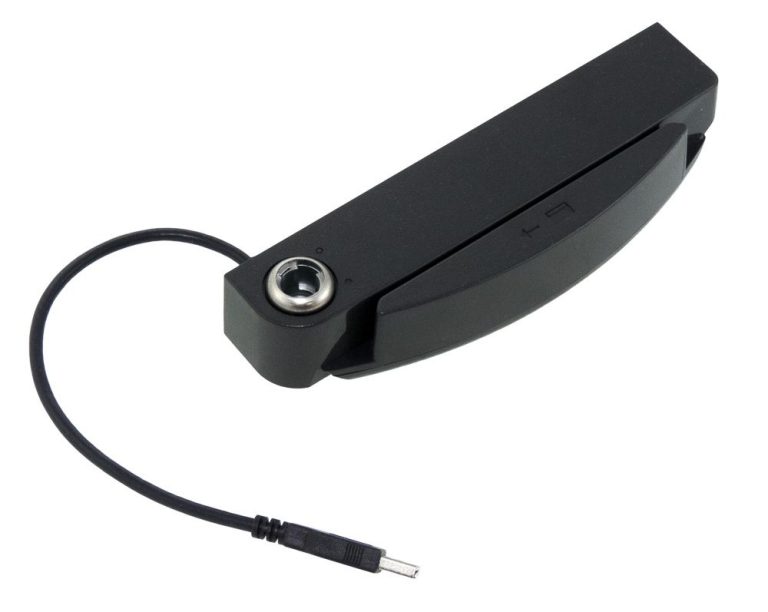
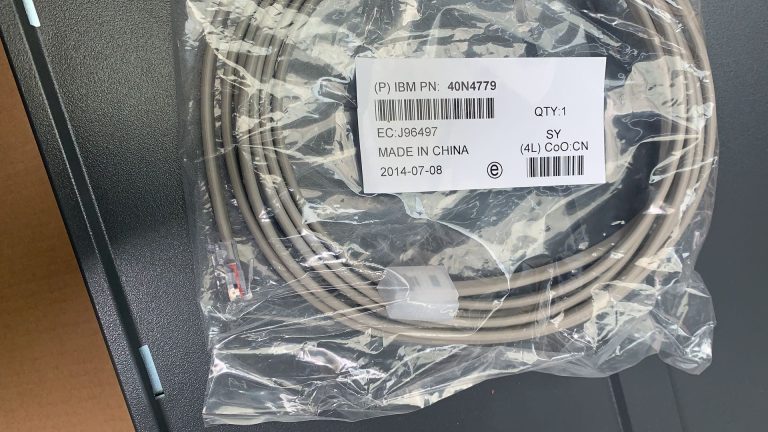
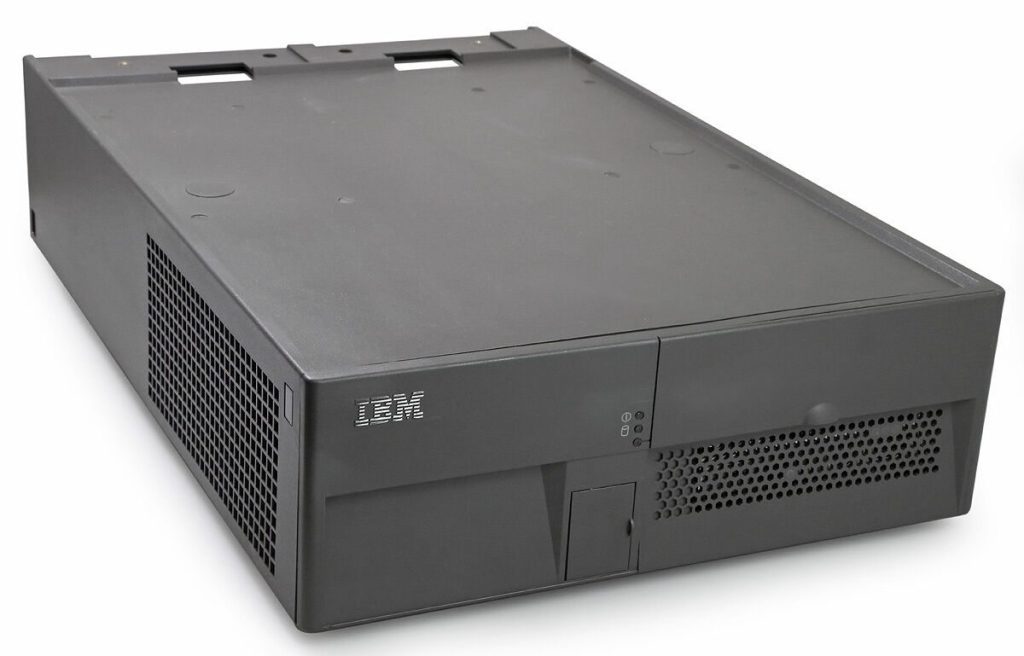
IBM SurePos 700 4800-743 POS Terminal And Repair Parts
ORIGINAL NEW PART
Product Inquiry
Category: IBM/TOSHIBA POS Terminal Parts
All parts are original new, tested before shipping. We can give you a good price, especially for big orders.
Price on inquiry — fastest delivery in 3 Days worldwide.
Email: leoli020@163.com
Tel: +86-15914391946 · WhatsApp: +8615914391946
Description
IBM POS Repair: SurePOS 700 4800-743 Terminal & Repair Parts
When an IBM POS system stops working, the repair question is usually practical: which assembly has failed, and can the exact replacement part be sourced? This page focuses on the IBM SurePOS 700 4800-743 POS terminal and the related IBM/Toshiba POS repair parts that maintenance and procurement teams commonly need to check.
For an IBM POS repair search, do not order by terminal name alone. Confirm the model, the symptom, and the part number or FRU on the failed component. A receipt printer cutter, cash drawer, keyboard cable, VFD display, and terminal assembly are different items, even when they are used in the same POS setup.
Quick answer: what to check first
- Identify the exact POS model. For this page, start with the IBM SurePOS 700 4800-743 and confirm the model on the terminal label.
- Describe the failure. Note whether the issue is power, boot, display, printing, cutting, cash drawer, keyboard input, or customer display.
- Find the part number or FRU. Look on the failed part, cable, or label. A photo of the label is more useful than a guessed part name.
- Match the part category. Terminal, printer, cash drawer, keyboard, cable, and display parts are sourced separately.
- Send a complete inquiry. Include the model, symptom, part number or FRU, quantity, photos, and delivery country.
That approach reduces the risk of ordering a part that fits a similar IBM or Toshiba POS model but not the unit under repair.
Common IBM POS repair areas
| Repair area | What to check first | Related part category |
|---|---|---|
| Terminal power or boot | Power source, error indication, display status, model label | Terminal assembly, display, internal cable |
| Receipt printing | Paper feed, print quality, cable connection, cutter position | Printhead, cutter set, feed motor or cable |
| Cash drawer | Drawer trigger, cable, latch, drawer part number | Cash drawer assembly |
| Keyboard input | Whether one key or the whole keyboard fails | Keyboard or USB cable |
| Customer display | Whether the VFD is blank or the cable is loose | VFD display assembly |
Terminal and display faults
If the IBM POS terminal powers on but the display is blank, do not assume the mainboard is the failed part. Check the display connection, the exact model, and whether the symptom follows a known terminal or VFD assembly. For a SurePOS 700 4800-743 repair, the model label and a photo of the failed connection are the minimum information needed for a useful parts inquiry.
Receipt printer and cutter faults
On IBM/Toshiba receipt printers, cutter problems can be separate from printhead problems. If paper feeds but cuts poorly, inspect the cutter area and paper path before replacing a printhead. The TOSHIBA/IBM Suremark 2CR/2NR/1NR/1NA POS Printer Cutter Sets are listed for replacement on those IBM/Toshiba Suremark printer models.
Cash drawer faults
A cash drawer that will not open may be a drawer assembly, cable, or trigger issue. The IBM POS Cash Drawer – PN:46N4329 / Grey Iron is listed as original new, and the listing describes it as suitable for most IBM and Toshiba POS terminals. Confirm the connector, drawer configuration, and part number before ordering.
Keyboard and cable faults
If the POS keyboard behaves erratically, check whether the fault is in the keyboard or the cable. The Original Toshiba/IBM POS keyboard USB cable FRU P/N:45U0018 is listed as an original new part. A cable replacement is different from a complete keyboard replacement, so use the FRU and connector photo to confirm.
Customer display faults
For a blank or dim customer display, check the VFD assembly and its connection. The PN:40N6969 IBM POS VFD is listed for use with most IBM POS terminals. Confirm the terminal model and the VFD part number before ordering.
IBM SurePOS 700 4800-743: confirm these before buying
Before ordering a repair part for the IBM SurePOS 700 4800-743, collect:
- The full model number from the terminal label.
- The failed part number, FRU, or visible label text.
- A photo of the failed component and its connector.
- The symptom: no power, no boot, blank screen, no print, cutter error, drawer failure, or input failure.
- The quantity required and the delivery country.
- Whether the part is needed for a single repair or for stock.
If the label is missing, send clear photos of the terminal and the failed area instead of guessing from an online listing. Model-specific pages help, but the part label and connector are what confirm compatibility.
IBM/Toshiba POS repair parts listed by PosBarcodeParts
The product listings in this category describe the parts as original new and tested before shipping, with price on inquiry. For a specific repair, confirm current condition, warranty, availability, and lead time for the exact part before purchase.
Related parts and pages include:
- IBM POS Cash Drawer – PN:46N4329 / Grey Iron for IBM/Toshiba POS drawer replacement checks.
- PN:40N6969 IBM POS VFD for customer display repair checks.
- TOSHIBA/IBM Suremark 2CR/2NR/1NR/1NA POS Printer Cutter Sets for Suremark printer cutter replacement.
- Original Toshiba/IBM POS keyboard USB cable FRU P/N:45U0018 for keyboard cable replacement.
- IBM 4900-743 POS Terminal for a related IBM POS terminal reference.
Repair or replace?
Repair is often the practical choice when one wear item or assembly has failed and the rest of the POS terminal is otherwise sound. Replacement may be more practical when the terminal has multiple faults, physical damage, or an uncertain part match. The decision should follow inspection and part confirmation, not just the terminal model name.
For an IBM POS repair, the safest sequence is: inspect the unit, identify the failed assembly, verify the FRU or part number, then source the matching replacement. That sequence also gives the parts supplier enough information to quote the correct item.
How to send an IBM POS repair inquiry
Use the inquiry path on the matching part page and include:
- Terminal model: IBM SurePOS 700 4800-743, or the exact IBM/Toshiba model on the label.
- Failed part name and part number or FRU, if visible.
- Symptom and any error indication.
- Photos of the part, label, and connector.
- Quantity and delivery country.
- Request for current price, availability, and warranty terms.
A complete inquiry is especially important for older IBM POS hardware, where similar model numbers and shared accessories can make a visual match misleading.
FAQ
What does IBM POS repair usually involve?
It can mean diagnosing a terminal fault, replacing a failed component, or sourcing a spare part for an IBM or Toshiba POS system. This page focuses on the parts side: identifying the failed assembly and matching it to the correct replacement.
How do I find the right part for an IBM SurePOS 700 4800-743?
Start with the model label, then record the part number or FRU on the failed component. Send photos of the label and connector with the inquiry. Do not rely on the terminal model alone if the part has its own number.
Is FRU P/N 45U0018 a keyboard or a cable?
FRU P/N 45U0018 is listed as an Original Toshiba/IBM POS keyboard USB cable, not a complete keyboard. Confirm the connector and the failed item before ordering.
Which IBM POS cash drawer part is listed?
The IBM POS Cash Drawer with PN 46N4329 / Grey Iron is listed as an original new part. The listing describes it as suitable for most IBM and Toshiba POS terminals; confirm the drawer connector and configuration for the unit being repaired.
What if the IBM POS terminal does not boot?
A no-boot symptom can come from power, display, cable, or terminal faults. Record the model, power behavior, and any display or error indication, then check the part numbers on the suspect assemblies. A complete diagnosis is needed before ordering a main assembly.
Can I request a quote for a single repair part?
The part pages provide an inquiry path, and pricing is listed as price on inquiry. Include the exact model, part number, quantity, and delivery country so the supplier can confirm current availability and terms.
Related Products